


Faking the Lomo effect
I’ve always liked the look of Lomo photos (typically bright colored and highly saturated with darkened edges), but I didn’t want to worry about getting another camera or messing with film & scanning. Yesterday I asked people if there was a Photoshop filter that could turn a regular photo into a Lomo-style photo. Several people responded with the Melancholytron filter and a tutorial on achieving the Lomo effect without using filters.
Since I didn’t feel like downloading anything, I tried the tutorial. I started with this picture:
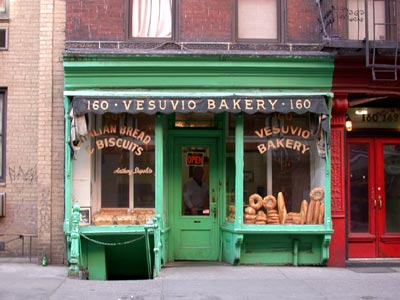
I took this photo on my first trip to NYC in January 2002; it’s the Vesuvio Bakery on Prince Street in Soho.
I deviated only slightly from the directions, using one of the overlayed feathered black layers and decreasing the opacity of the white gradient layer to below 50%. Here’s the result:
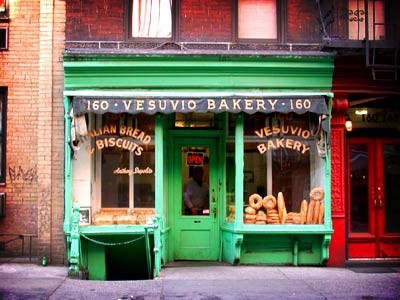
Pretty cool. Now, I wish I could get my camera to do this automatically…it would be fun to slip into Lomo mode now and then.
Socials & More